---
title: Attachments
description: Upload images and PDFs from the chat composer
---
Attachments adds a file picker, mobile camera capture, and paste/drop handling to the composer. Uploaded files use your configured [file storage provider](../storage).
## Installation
### Add the plugin
Run this command inside your ChatJS app:
Before adding this plugin, configure a durable Files SDK storage provider in your app. Choose one during app creation, or follow [File storage](../storage) to configure an existing app. Set the provider’s generated environment variables. For Vercel Blob, set `BLOB_READ_WRITE_TOKEN`. Installation stops if you have no durable provider configured.
```bash
bunx chat-js@alpha add attachment-uploads
```
The plugin adds the upload endpoint and composer controls. It adds no database tables and has no `features.attachments` enable flag.
## Usage
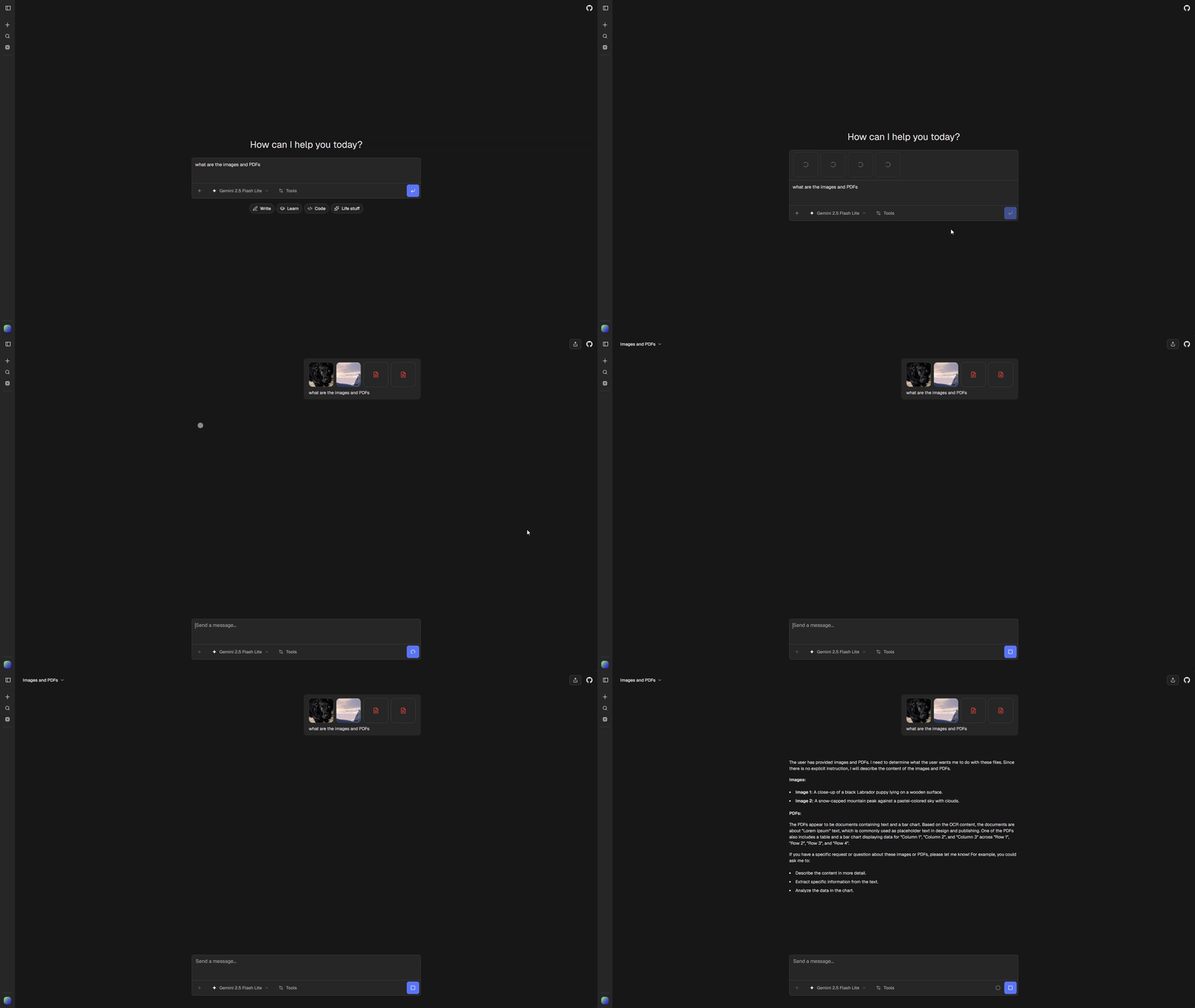
Sign in and choose **Attach files** from the composer menu. On mobile, **Take photo** opens the camera. You can also paste or drop supported files into the composer.
 ### Supported file types
| Type | Extensions | Processing |
| ------ | ----------------------- | ------------------- |
| Images | `.png`, `.jpg`, `.jpeg` | Model image input |
| PDFs | `.pdf` | Document processing |
Choose a model that supports the attached file types. The composer blocks sending an image or PDF when the selected model does not support that input.
## Options
Set limits and accepted types under `attachments` in `chat.config.ts`:
```ts
attachments: {
maxBytes: 1024 * 1024,
maxDimension: 2048,
acceptedTypes: {
"image/png": [".png"],
"image/jpeg": [".jpg", ".jpeg"],
"application/pdf": [".pdf"],
},
},
```
`maxBytes` limits the uploaded size after compression. `maxDimension` limits image width and height when compressing JPEG or PNG files that exceed `maxBytes`. Images already within the byte limit are uploaded unchanged, even if their dimensions are larger.
## Storage and customization
Files are uploaded through the configured provider and represented by provider-independent ChatJS URLs. Historical attachments and tool-produced files remain available in core when new uploads are omitted.
Edit `chatjs/plugins/attachment-uploads/` to customize upload behavior. Only one installed plugin can provide the uploads contribution. See the [Plugin API](../reference/plugin-api#client-slots).