

Attachments
Upload images and PDFs to conversations
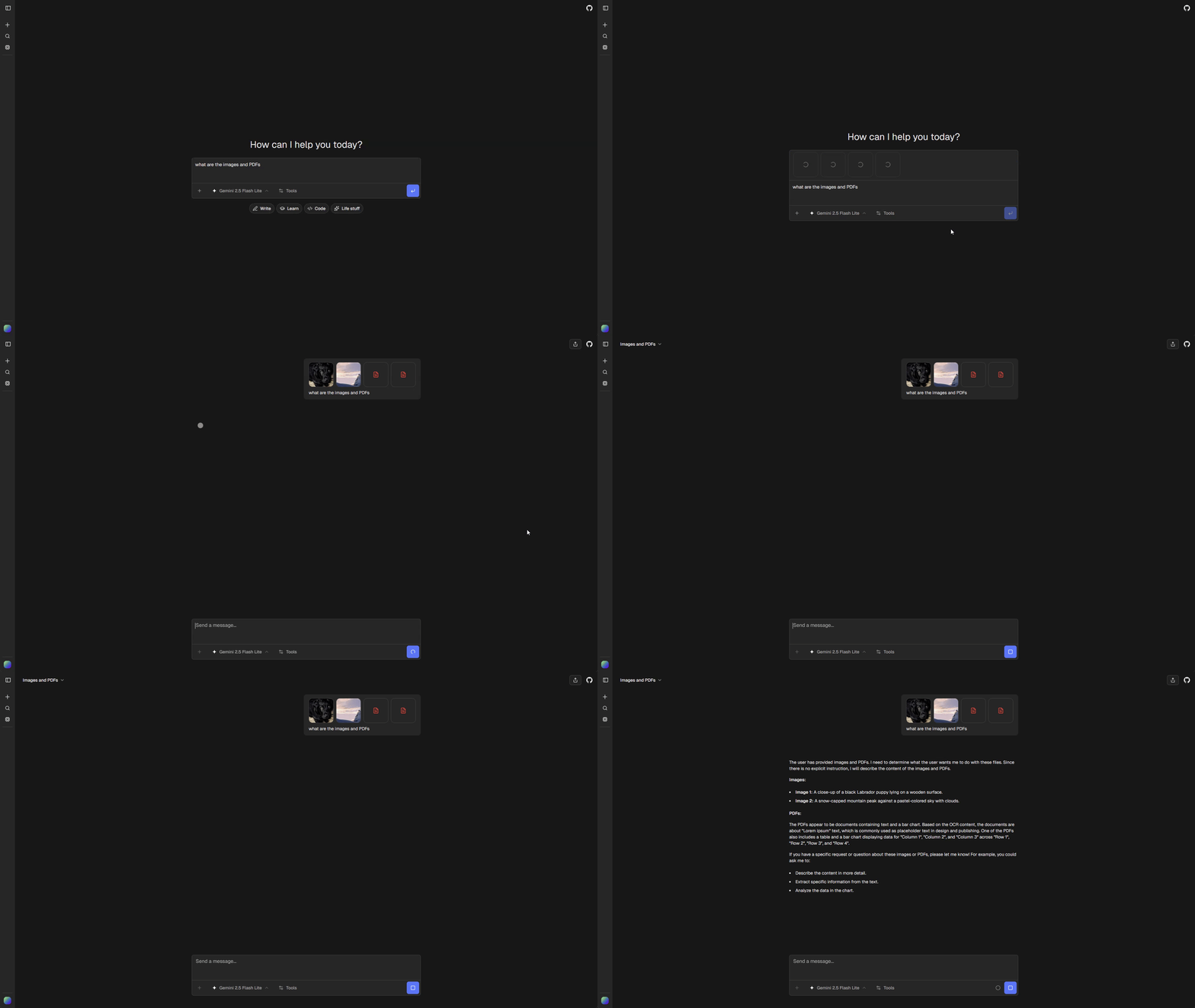
ChatJS supports file attachments in conversations. Files are uploaded through the configured file storage provider and processed by AI models that support multimodal input.
Supported File Types
| Type | Extensions | Processing |
|---|---|---|
| Images | .png, .jpg, .jpeg |
Direct vision input |
| PDFs | .pdf |
Text extraction |
How It Works
- User attaches file in chat input
- File uploads through the configured Files SDK provider
- A provider-agnostic ChatJS URL is included in the message
- Model processes based on type
Configuration
Enable/Disable
Toggle attachments in chat.config.ts:
features: {
  attachments: true, // Requires durable file storage
}
When disabled:
- Attachment button is hidden from the chat input
- Drag-and-drop and paste file handling are disabled
- File upload API returns 503
File Storage
Choose a durable provider during installation and configure the environment variables generated for that provider. Vercel Blob uses BLOB_READ_WRITE_TOKEN, while other providers have their own credential modes. See File storage for setup and migration guidance.
Attachment Settings
File attachment settings are configured in chat.config.ts under the attachments key:
attachments: {
  maxBytes: 1024 * 1024,  // 1MB max after compression
  maxDimension: 2048,     // Max image width/height
  acceptedTypes: {
    "image/png": [".png"],
    "image/jpeg": [".jpg", ".jpeg"],
    "application/pdf": [".pdf"],
  },
},
Mobile Behavior
On mobile devices, the attachment button shows a dropdown menu with separate options:
- Add photos - Opens the device photo gallery
- Take photo - Opens the camera directly
- Add files - Opens the file browser for PDFs and documents
This granular selection is intentional: some mobile platforms default to the image picker when the file input accepts both images and other file types, making it difficult for users to select non-image files like PDFs.
Model Support
Not all models support attachments. Check model.input for capability:
if (model.input?.image) {
  // Model supports image inputs
}
if (model.input?.pdf) {
  // Model supports PDF inputs
}
When a user attaches a file that the current model doesn’t support, ChatJS automatically switches to the compatible model configured in config.ai.workflows.pdf or config.ai.workflows.chatImageCompatible.